
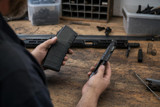
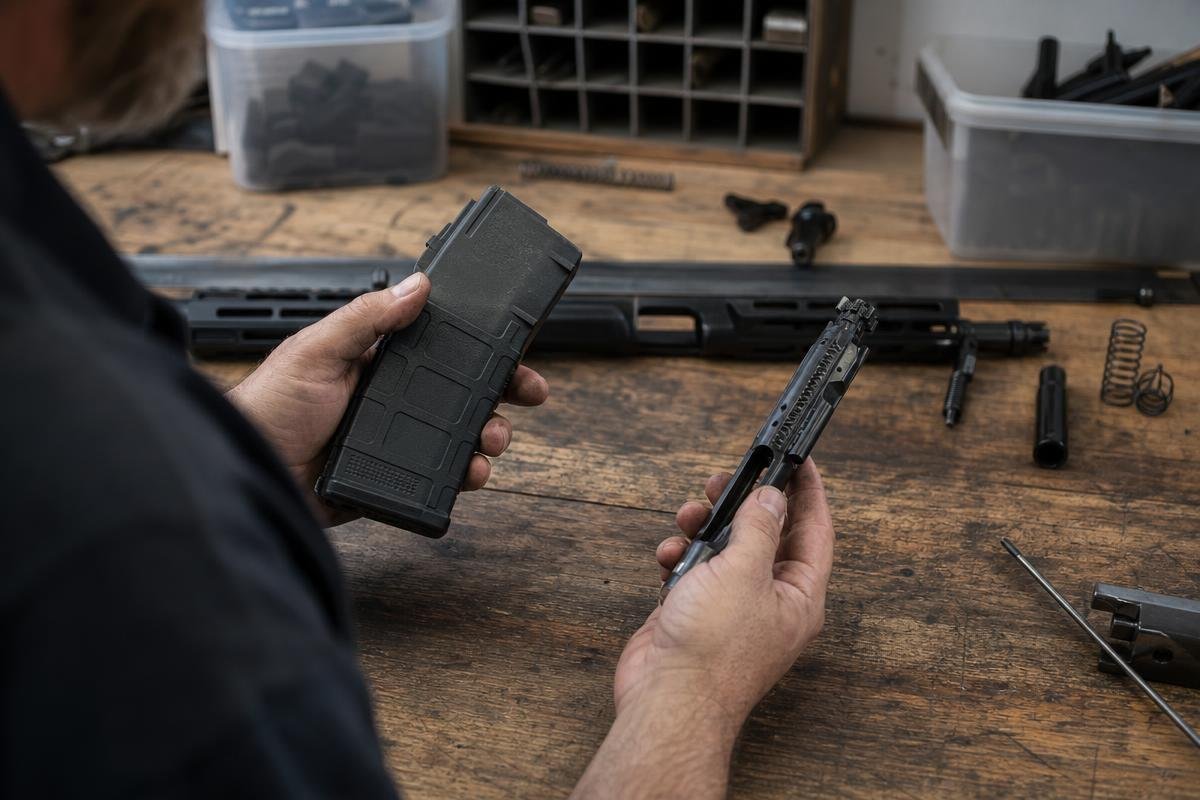
A common AR-15 failure-to-feed issue involves cartridge presentation from the magazine, but ammunition condition, bolt-carrier drag, buffer resistance, and incomplete cycling can create similar symptoms. Start with a safe, unloaded rifle and isolate one variable at a time instead of replacing multiple parts at once. For help finding compatible parts, contact our team.
Key Takeaways
- Damaged magazine bodies, bent feed lips, and worn followers are frequent sources of cartridge-presentation problems.
- Test a known-good magazine before changing upper, bolt carrier, buffer, or gas-system components.
- A weak or damaged buffer spring can reduce the force available to return the bolt carrier forward.
- Failed lock-back on an empty magazine may indicate incomplete cycling, carrier drag, or a gas-system concern.
Start With the Magazine: A Common Feed Source
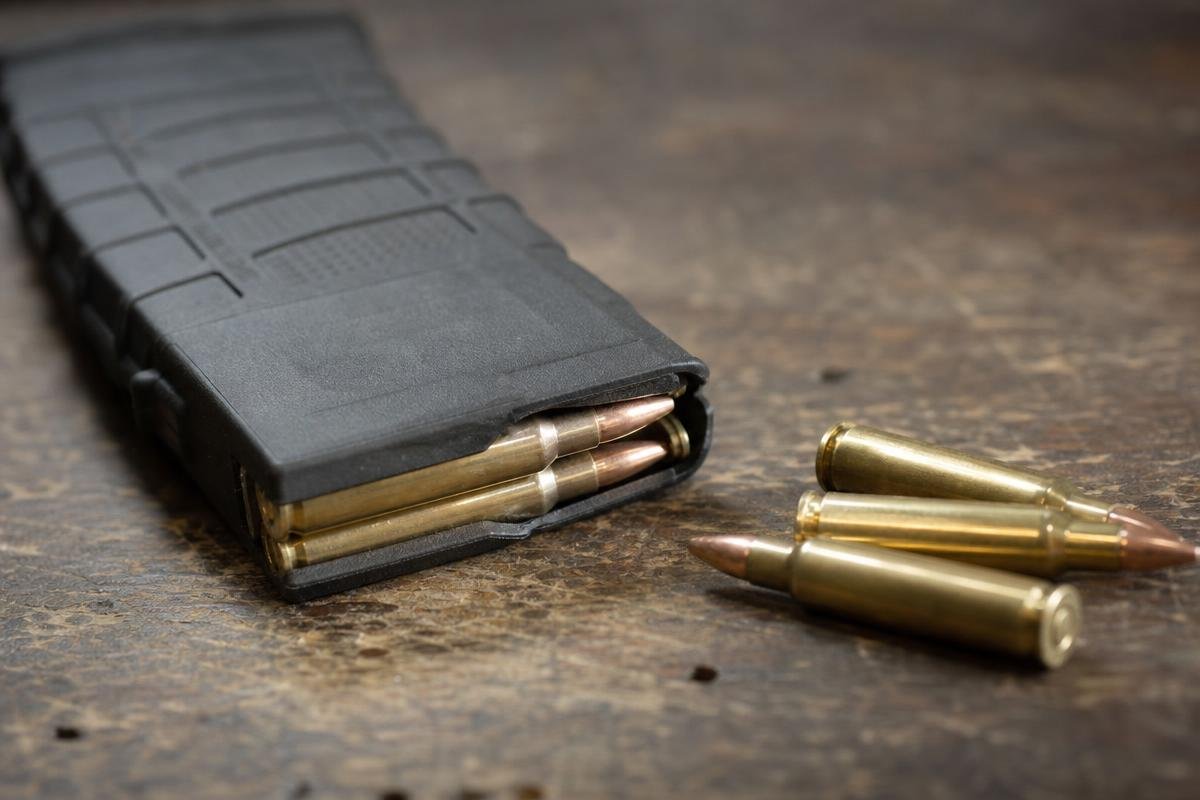
The first component to test is the magazine. Feed lips, the follower, spring tension, and body condition determine whether a cartridge rises at the correct angle for the bolt to strip it toward the chamber. A magazine that works inconsistently should be removed from the diagnosis before rifle parts are changed.
A feeding malfunction occurs before the round is fully chambered. It differs from a failure to fire, which happens after a cartridge is chambered but does not ignite, and from a failure to eject, which occurs when a fired case fails to leave the action. AR15Parts.com supplies firearms, parts, and accessories from 4000 Texoma Pkwy, Denison, TX 75020, including AR-15 complete rifles and compatible components for customers evaluating their existing setup.
Make the Rifle Safe Before Diagnosing a Feeding Malfunction
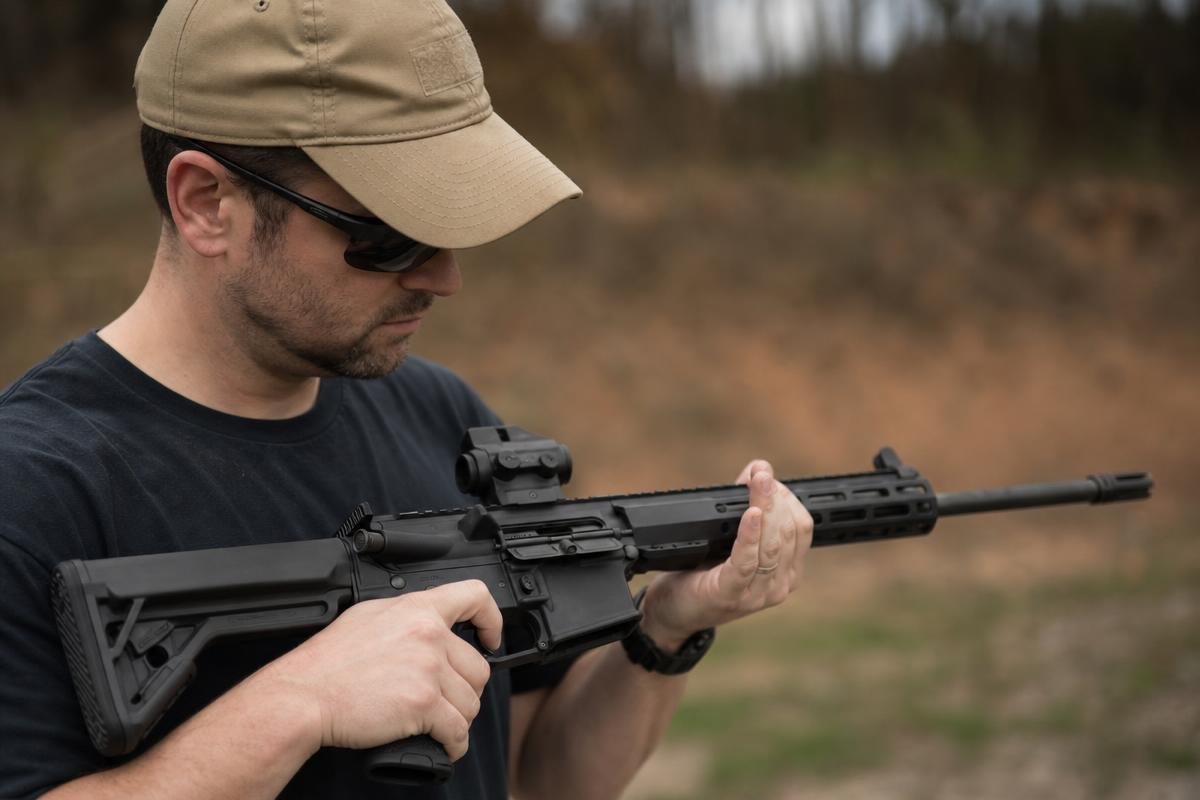
Safe handling comes before any inspection. Keep the muzzle in a safe direction, remove the magazine if possible, lock the bolt to the rear, then visually and physically confirm the chamber is clear. Work only with an unloaded rifle when inspecting magazines, moving parts, or the feed path.
Clear the Rifle and Verify the Chamber
Do not keep cycling a rifle that has repeated stoppages. For an immediate range stoppage, keep the muzzle in a safe direction and follow the firearm and ammunition manufacturers’ malfunction procedures. Recurring problems need inspection after the rifle is unloaded. Begin with the magazine and ammunition only after confirming an empty chamber.
Record Where the Cartridge Stopped
Cartridge position provides useful clues. A round nose-down at the feed ramps can indicate poor magazine presentation. A partially chambered round may point to ammunition, chamber condition, or insufficient bolt movement. A round trapped beneath another cartridge commonly indicates a magazine-related problem.
Know When a Double Feed Requires More Than a Rack
An AR-15 double feed occurs when two rounds attempt to occupy the action at once. It generally requires magazine removal and careful clearing after the rifle is made safe, not repeated charging-handle movement.
For compatible parts questions, customers in Denison and the surrounding Texoma area can contact AR15Parts.com about a build or complete rifle configuration. We provide product support for firearms, parts, and accessories, not repair services.
How Do You Tell Whether an AR-15 Magazine Is Causing Feeding Problems?
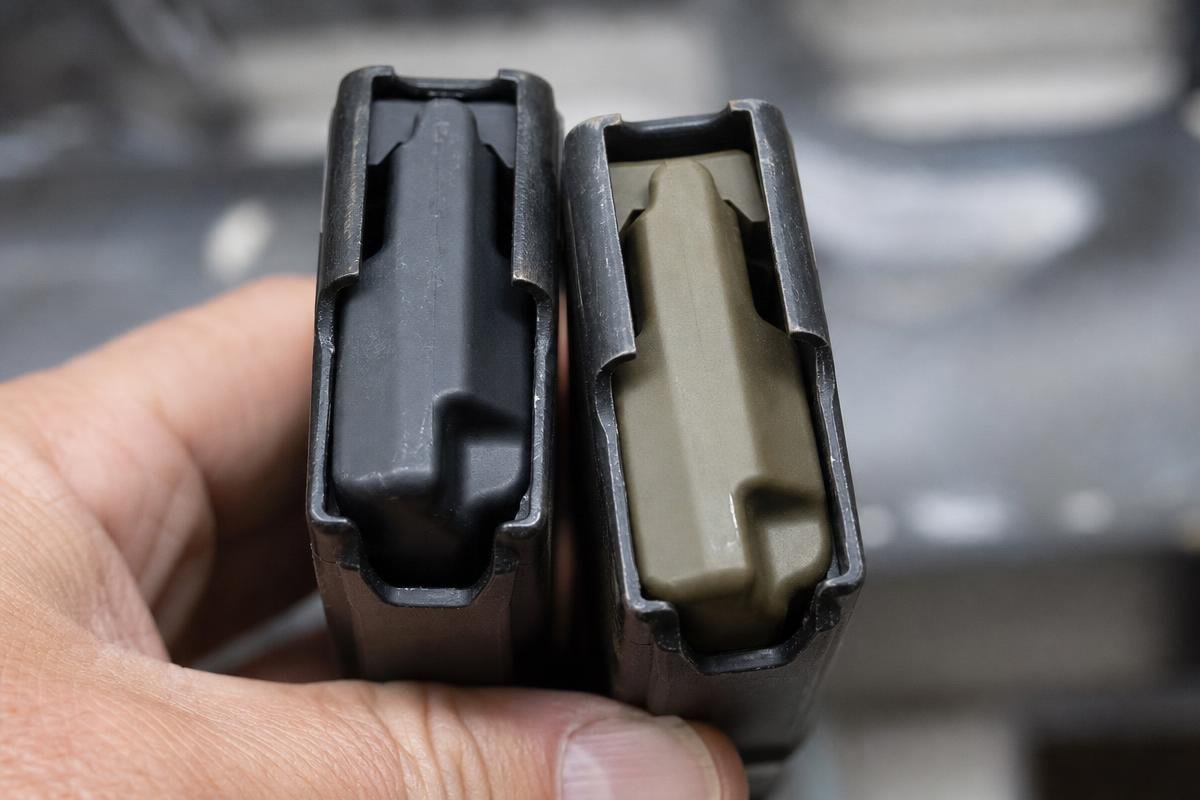
Compare the malfunctioning magazine with one or two known-good magazines using the same correct ammunition. If the problem disappears with the replacement magazine, inspect the original for feed-lip damage, follower binding, weak spring force, or dents that interfere with cartridge travel.
Check Feed Lips and Magazine-Body Damage
Damaged feed lips can release a round too early, too late, or at the wrong angle. Compare both lips for matching height and shape. Look for cracks, spreading, chips, and sharp bends.
Check the magazine body for dents and inspect the area around the baseplate. A nose-down cartridge or a round presented at an odd angle often points to a damaged body or feed lips. Replace suspect magazines with dependable AR-15 magazines before changing rifle parts.
Test Follower Travel and Spring Tension
A sticking follower can interrupt cartridge movement. With the magazine empty, press the follower down and confirm it moves smoothly through the body without hanging.
Remove the baseplate only after the magazine is unloaded. Confirm the spring is present, correctly assembled, and free of visible bends, corrosion, or damage. A follower that hangs after loading can mimic a rifle-level issue.
Confirm the Result With Known-Good Magazines
Test the rifle with one known-good magazine, then repeat with a second. If both magazines feed correctly, the original magazine is the likely source of the stoppage.
If the malfunction continues with both, move to ammunition, chamber, and feed-ramp checks. This test separates a simple replaceable part from a rifle-level concern quickly.
Check Ammunition, Chamber Fit, and Feed-Ramp Contact
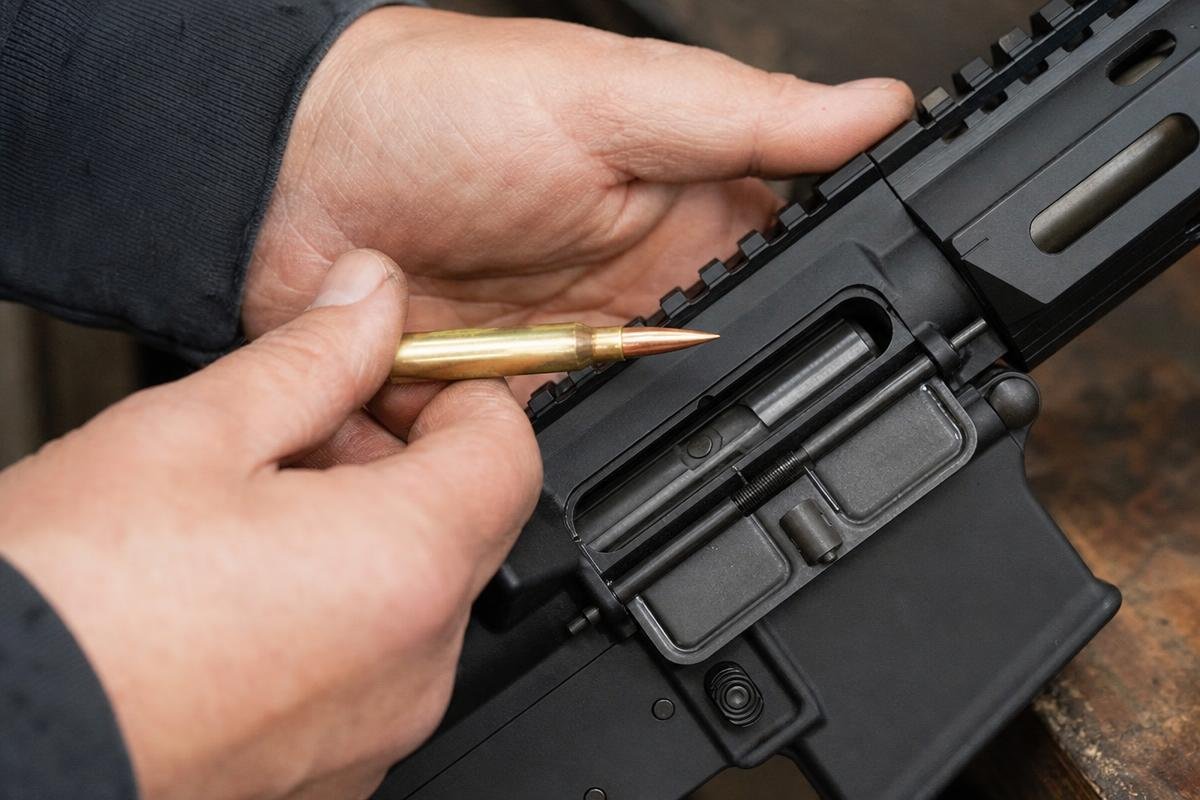
Not every feeding stoppage begins in the magazine. With the rifle cleared, inspect the cartridge, chamber, and feed path for damage or evidence of repeated contact before changing components.
Inspect the Cartridge for Visible Damage
Damaged ammunition can stop a sound rifle from cycling correctly. Check for dented case shoulders, a deformed bullet tip, heavy fouling, or bullet setback on an unfired round that was stripped but did not chamber. Set that round aside and do not repeatedly chamber it. Repeated attempts can worsen bullet setback and create an unsafe cartridge condition.
Match Ammunition to the Barrel Chambering
Use only ammunition that the firearm or barrel manufacturer identifies as compatible with the barrel’s marked chamber, and follow the ammunition manufacturer’s guidance. A dirty chamber, incorrect cartridge, or mismatched upper components can leave you with an AR-15 bolt not going into battery. If you are confirming a build configuration, compare your markings with our 5.56 NATO complete upper receivers and barrel specifications.
Read Marks Left by the Feed Path
Look for repeated scratches, gouges, or impact marks on the same area of the bullet or case. Those marks can point to contact at the feed ramps, barrel extension, or chamber entrance.
Clean the chamber and inspect the ramps under good light. Do not treat feed-ramp modification as a default home fix. If marks persist, or if you are uncertain about upper assembly or chamber condition, stop firing and consult a qualified gunsmith. For compatible-parts support, contact AR15Parts.com at (888) 706-0633 or contact our team.
Test Bolt Carrier Movement and Buffer-System Return Force
The bolt carrier group must travel fully rearward, then return forward with enough force to strip, chamber, and lock a round. Carrier drag, fouling, or buffer-system resistance can resemble a magazine problem, including an AR-15 bolt not going into battery. Check the unloaded rifle methodically before replacing parts.
Look for Carrier Drag and Excess Fouling
Remove the bolt carrier group and inspect the carrier rails, bolt lugs, cam pin, and charging-handle track. Heavy carbon, dry bearing surfaces, brass debris, or grit in the upper can slow forward movement. Clean the contact surfaces, apply proper lubricant, and check that the carrier moves freely by hand.
Debris inside the receiver extension can also create drag. A carrier that stops short of battery may not have enough forward force to chamber the next round.
Inspect the Buffer and Buffer Spring
Yes, a weak buffer spring can contribute to a feeding issue. A worn, bent, damaged, or inconsistent spring may not drive the carrier forward with enough force after recoil.
Remove the buffer and spring from the receiver extension. Look for coils that are bent, crushed, rusty, or uneven. Confirm the buffer moves freely and that the spring is correct for your rifle-length or carbine-length receiver extension. If you are checking a complete assembly, compare its configuration with the parts used in your complete AR-15 upper.
Use the One-Round Lock-Back Observation
Load one round in a known-good magazine and fire it safely. If the bolt does not lock back on the empty magazine, the rifle may not be cycling fully. That observation can point toward AR-15 short stroking, carrier drag, buffer-system resistance, or a gas-system concern covered in the next step.
Identify Gas-System Problems Behind Short Stroking
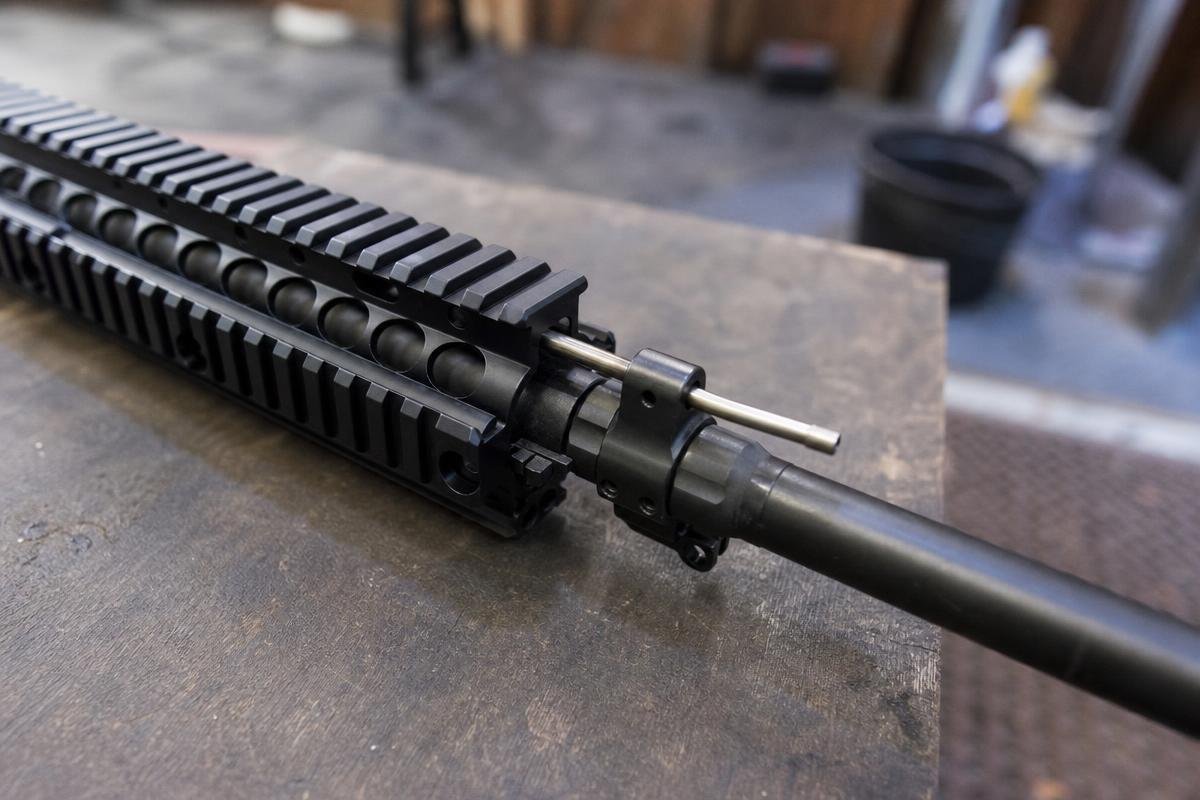
AR-15 short stroking can cause a feeding stoppage because the bolt carrier does not travel far enough rearward to pick up the next round. A one-round lock-back test is an observation tool, not a final diagnosis. If the bolt fails to lock back on an empty magazine, inspect the system before changing multiple parts.
Why Incomplete Rearward Travel Interrupts Feeding
Insufficient gas pressure can leave the carrier short of its full rearward stroke. The bolt may extract and eject, yet fail to travel far enough to strip the next cartridge from the magazine. This can look like a cartridge-presentation problem even when the magazine is functioning correctly.
Test one variable at a time. Record the ammunition, magazine, suppressor use, and whether the bolt locks back before making a change.
Inspect Gas-Tube and Gas-Block Alignment
A bent, kinked, broken, obstructed, or poorly seated gas tube can restrict gas flow. Check for visible damage and confirm the tube enters the upper receiver without binding on the gas key.
A misaligned gas block can also uncover part of the barrel gas port and prevent full cycling. Follow the gas-block manufacturer’s instructions, especially with adjustable models. Gas-block alignment, barrel gas-port work, and uncertain assembly issues are appropriate reasons to stop and consult a qualified gunsmith. If upper components need replacement, compare compatible complete AR-15 uppers before replacing parts blindly.
Separate Under-Gassing From Over-Gassing
Under-gassing commonly shows up as weak ejection, failed lock-back, or an empty chamber after ejection. Over-gassing can drive the carrier too fast, increase fouling, and create erratic cycling. Suppressor use changes backpressure and fouling, so evaluate it with the same ammunition and setup.
For compatible parts guidance, call (888) 706-0633.
Need help sorting out gas-system cycling issues? Call (888) 706-0633 to contact our parts team.
Failure to Feed Vs. Other AR-15 Malfunctions
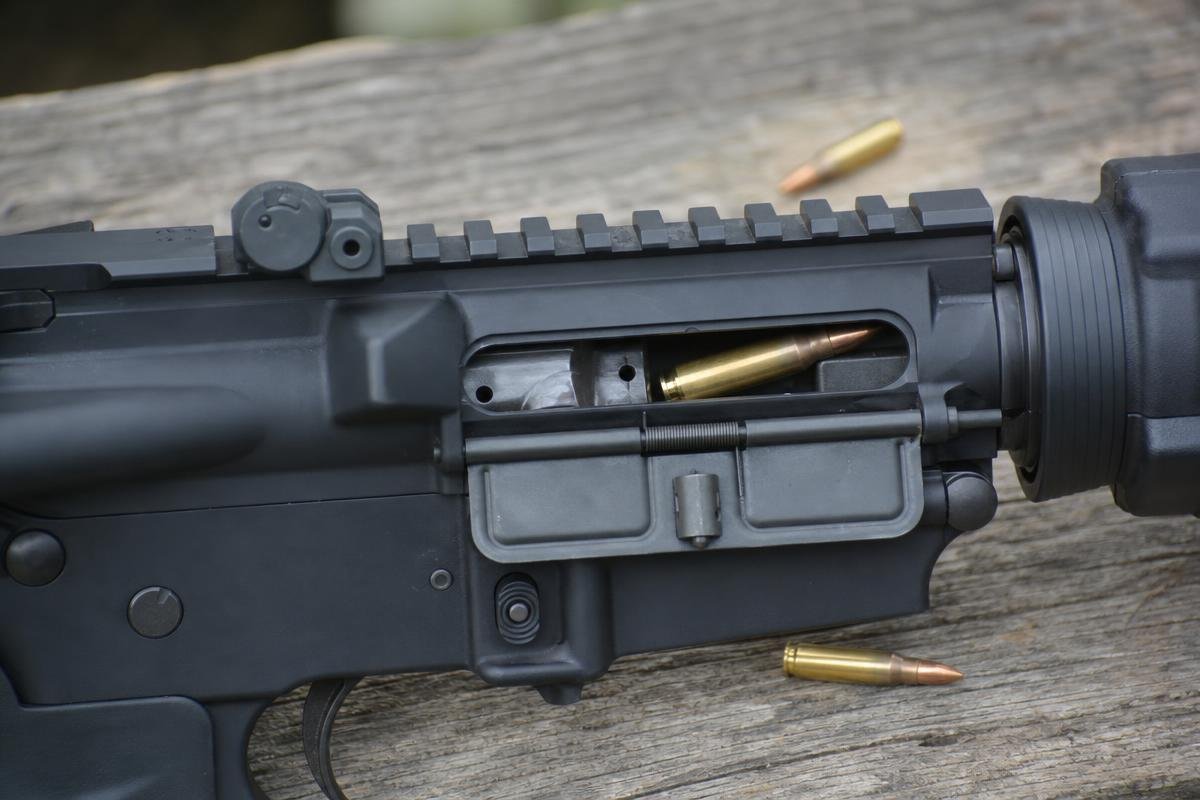
A cycling problem can show more than one symptom, but each malfunction starts at a different point in the firing cycle. Read the cartridge position and bolt location before replacing parts.
| Observed symptom | Likely area to inspect first | First safe check | When to stop |
|---|---|---|---|
| Round remains in magazine, bolt rides over it, or round is nose-down | Magazine feed lips, follower, spring, and body | Test known-good magazines | Repeated double feeds or damaged magazine components |
| Round starts into chamber but will not seat | Ammunition, chamber, feed ramps, bolt movement | Inspect the removed round for damage and inspect the cleared chamber | Pressure signs, repeated gouging, or suspected chamber damage |
| Bolt stops short of locking | Carrier drag, lubrication, buffer system, chamber condition | Check carrier travel on an unloaded rifle | Repeated out-of-battery symptoms or uncertain assembly |
| Fired case ejects but bolt will not lock back or pick up the next round | Full cycling, buffer resistance, gas system | Use a one-round lock-back observation with a known-good magazine | Suspected gas-block, gas-tube, or barrel gas-port work |
Failure to Feed
A failure to feed means a cartridge does not move correctly from the magazine toward the chamber. The bolt may ride over the round, catch it nose-up, or create two rounds competing for the chamber during AR-15 double feed troubleshooting.
Failure to Chamber and Failure to Return to Battery
Failure to chamber means the round enters the chamber area but does not seat fully. Failure to return to battery means the bolt does not travel fully forward and lock, often described as an AR-15 bolt not going into battery. These can follow a feeding problem, but they are not the same malfunction. Inspect the removed round, bolt position, and chamber contact marks separately.
Failure to Eject and Failure to Fire
A stovepipe is generally a failure-to-eject symptom, with an empty case trapped in the ejection port. AR-15 short stroking can cause ejection and feeding symptoms because the carrier does not complete its full cycle. A failure to fire happens after a cartridge chambers correctly but does not ignite. If symptoms point to an upper assembly issue, compare fit and configuration with our complete AR-15 uppers.
A Practical AR-15 Failure-to-Feed Decision Tree
Use this order to isolate the problem without changing several parts at once. Start with a safe, unloaded rifle, then move from magazine checks to ammunition and cycling checks.
Step 1: Test a Known-Good Magazine
At a safe range, test a known-good magazine with a few compatible cartridges. If feeding returns, inspect the original for cracked body material, bent feed lips, weak spring tension, or a damaged follower. A magazine issue is often isolated at this step.
Step 2: Inspect the Cartridge and Chamber
If a good magazine does not correct it, inspect the top cartridge for dents, setback, or wrong caliber markings. Check the chamber for fouling or an obstruction. Do not fire damaged ammunition.
Step 3: Observe One-Round Lock-Back
Load one round in the known-good magazine and fire only at a safe range. If the bolt fails to lock back, AR-15 short stroking is possible. That result suggests incomplete carrier travel, not just a feed-lip problem.
Step 4: Check the Carrier, Buffer, and Gas Path
With the rifle unloaded, confirm the carrier moves freely and the buffer spring is not bent, shortened, or heavily worn. Inspect the gas tube for bends or kinks, then check visible gas-block alignment. Do not disassemble or alter gas-system components if you are unsure of the rifle’s assembly history.
Step 5: Stop When the Problem Exceeds Safe Basic Inspection
Stop firing if the issue persists with known-good magazines and correct ammunition, if damaged parts or unusual pressure signs appear, if out-of-battery symptoms repeat, or if safe assembly is uncertain. A qualified gunsmith should inspect those conditions. Contact AR15Parts.com at (888) 706-0633 for help selecting compatible parts or a complete AR-15 rifle.
AR-15 Parts and Troubleshooting Support in Denison
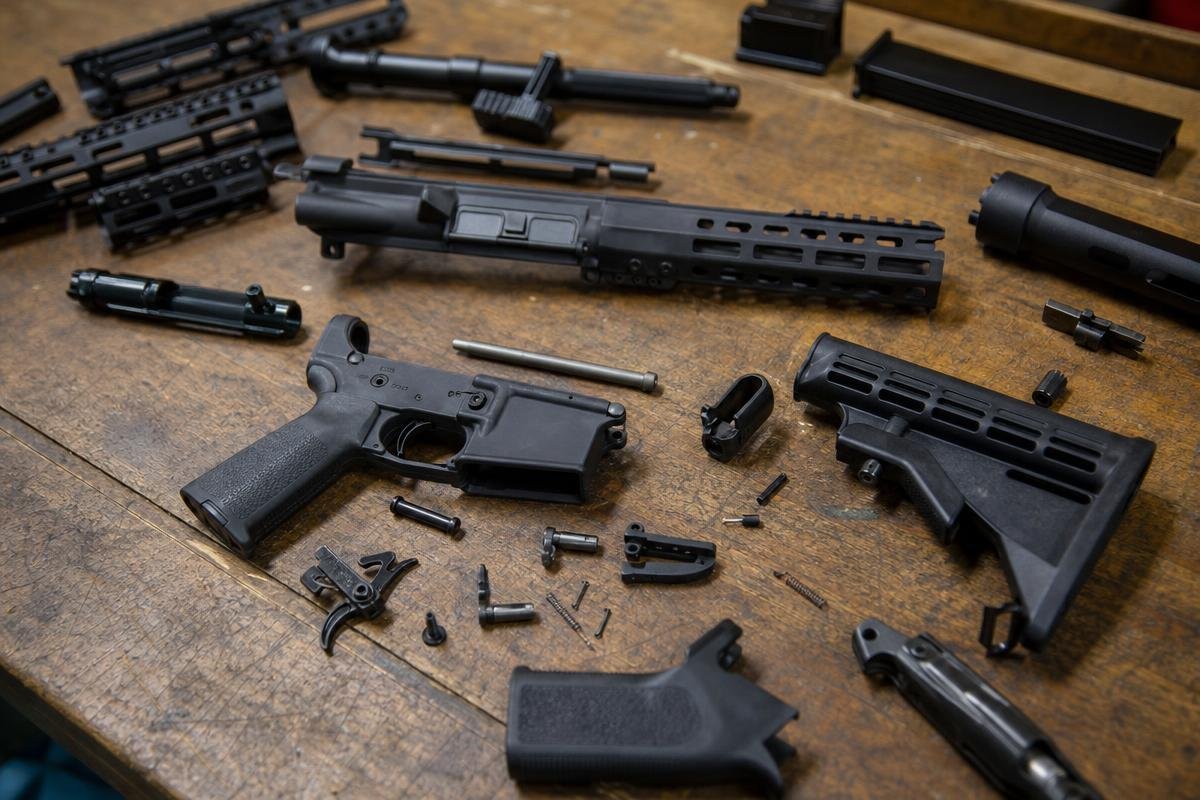
AR15Parts.com supplies firearms, parts, and accessories from 4000 Texoma Pkwy, Denison, TX 75020. Customers comparing replacement components should match each part to the rifle’s existing configuration rather than assuming similar-looking parts are interchangeable.
Match Replacement Parts to Your Existing Setup
Match chambering, gas-system length, receiver-extension type, and upper or lower dimensions before ordering. A buffer spring, bolt carrier group, magazine, or gas tube that does not match can leave an AR-15 bolt not going into battery or create another cycling problem.
Our contact page for compatible AR-15 parts gives you a direct way to ask about fit before you buy. Product support does not replace inspection by a qualified gunsmith when damage or unsafe wear is present.
Choose Compatible Complete Upper Assemblies
A complete upper can reduce compatibility questions when your existing lower is mil-spec. Confirm caliber, receiver fit, buffer-system compatibility, and the intended configuration before selecting an upper assembly.
Talk With Our Team About Product Fit
Call (888) 706-0633 with your chambering, barrel length, gas-system length, and current parts list. We can help you compare replacement options and identify what must match before you change parts.
Frequently Asked Questions
What Is a Common Cause of an AR-15 Failure to Feed?
Magazine condition is usually the first part to check. A common AR-15 failure-to-feed issue involves damaged feed lips, a binding follower, or weak spring tension. Inspect the body for dents and replace questionable magazines with compatible AR-15 magazines.
Why Does an AR-15 Magazine Present a Round at the Wrong Angle?
Bent feed lips, a dented magazine body, follower drag, or uneven spring force can tip a cartridge too high or low. That can create an AR-15 magazine failure to feed before the round reaches the chamber.
Why Does My Rifle Chamber a Round by Hand but Not During Cycling?
Hand cycling is slower and does not duplicate carrier speed or gas-driven movement. During firing, drag, weak return force, or AR-15 short stroking can leave the bolt without enough momentum to strip and chamber a round.
Can a Buffer Spring Cause a Feeding Problem?
Yes. A damaged, worn, or inconsistent buffer spring can reduce forward carrier force. The bolt may strip a round poorly or leave an AR-15 bolt not going into battery.
Does Short Stroking Cause Failure to Feed?
Yes. Short stroking means the carrier is not traveling far enough rearward to reliably pick up the next round. Check gas-system condition, carrier movement, and buffer components after making the rifle safe.
Can a Dirty Bolt Carrier Group Cause Feeding Problems?
Yes. Carbon fouling, debris, and improper lubrication can increase carrier drag and stop the bolt short of battery. If inspection points to a worn magazine, carrier, buffer component, or upper compatibility issue, contact AR15Parts.com at (888) 706-0633 for help identifying parts that match your existing setup.
Ready to Get Started with AR15Parts.com?
Call (888) 706-0633 to speak with our team directly. We're ready to answer your questions, walk you through your options, and help you find the right solution for your needs. Whether you're just starting to plan or ready to move forward, we'll make the process simple and stress-free. Reach out today and let's talk about how we can help.